Choosing the best monitors for programmers is one of the most impactful upgrades you can make to your coding setup. The right display reduces eye strain, supports better posture and makes reading code for hours significantly more comfortable. With so many options available in 2026, this guide breaks down the top five monitors specifically evaluated for programming work.What to Look for in the Best Monitors for Programmers
Not all monitors are equal when it comes to programming. Gaming monitors prioritize refresh rate, creative monitors prioritize color accuracy — but the best monitors for programmers need to excel at something different: text clarity, ergonomics and eye comfort during long sessions.
Here are the key specs to focus on:
- Resolution: QHD (2560×1440) or 4K — both offer sharper text than 1080p, which matters when reading code for hours
- Panel type: IPS for accurate colors and wide viewing angles
- Ergonomic stand: Height, tilt and swivel adjustments are essential for a proper ergonomic desk setup
- Eye care: Flicker-free and low blue light modes reduce fatigue during evening coding sessions
- Connectivity: USB-C with power delivery is ideal for laptop users — one cable for video, data and charging
If you haven’t set up your desk ergonomically yet, check our guide on ergonomic desk setup for programmers before choosing a monitor.
Table of Contents
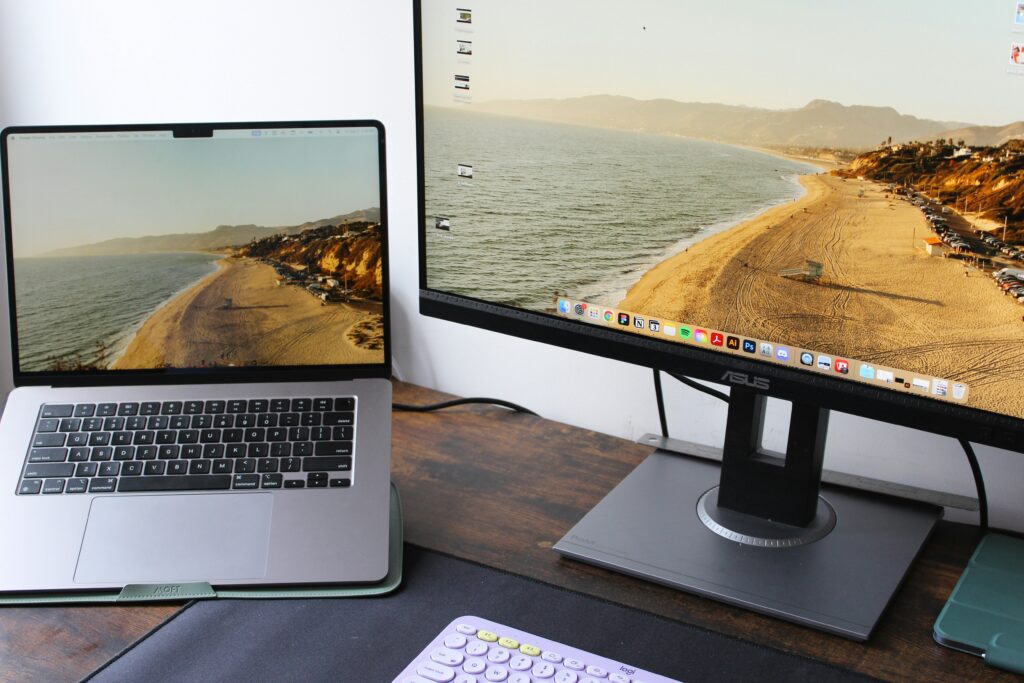
Best Monitors for Programmers 2026 – Top 5 Picks
1. Dell UltraSharp U2723QE – Best Overall Monitor for Programmers
The Dell UltraSharp U2723QE is the top choice among the best monitors for programmers who want a no-compromise daily driver. Its 27-inch 4K IPS panel delivers exceptional text sharpness — individual characters in your editor are noticeably crisper compared to QHD or 1080p displays.
The built-in USB-C hub simplifies your desk setup significantly: one cable connects your laptop, handles power delivery and passes through data to connected peripherals. The ergonomic stand offers full height, tilt, swivel and pivot adjustments, making it easy to dial in the correct monitor position for your setup.
- Pros: Outstanding text clarity, excellent ergonomic stand, USB-C hub, reliable color accuracy
- Cons: Premium price, no built-in speakers
View Dell UltraSharp U2723QE: https://www.dell.com/en-us/shop/dell-ultrasharp-27-4k-usb-c-hub-monitor-u2723qe/apd/210-bdph/monitors-monitor-accessories
2. LG 34WN80C UltraWide – Best Monitor for Programmers Who Multitask
The LG 34WN80C is the best monitors for programmers pick if you regularly work across multiple windows — a code editor, terminal, browser and documentation open simultaneously without any alt-tabbing. The 34-inch ultrawide format at 3440×1440 resolution gives you the horizontal space to keep everything visible at once.
The curved IPS panel reduces neck movement compared to dual monitor setups, and the USB-C port handles laptop charging alongside video input. If your workflow involves constantly switching between tools, this monitor eliminates that friction entirely.
- Pros: Massive screen real estate, great for multitasking, USB-C charging, curved IPS panel
- Cons: Takes up significant desk space, not ideal for small setups
View LG 34WN80C UltraWide: https://www.lg.com/us/monitors/lg-34wn80c-b-ultrawide-monitor
3. Samsung Odyssey G7 (32-inch) – Best High-Refresh Monitor for Developers
The Samsung Odyssey G7 was built for gaming but has found a strong following among developers — particularly those who also use their machine for gaming or video work after hours. Its 32-inch QHD panel at 240Hz makes scrolling through long codebases and documentation unusually smooth.
The curved VA panel delivers deep contrast that makes dark-themed editors — which most programmers prefer — look significantly better than on IPS panels. If you spend long evenings coding with a dark theme, the G7 is worth considering among the best monitors for programmers who value visual comfort.
- Pros: Exceptionally smooth scrolling, deep contrast for dark themes, large 32-inch size
- Cons: VA panel has slower response in some conditions, gaming-oriented design
View Samsung Odyssey G7: https://www.samsung.com/us/computing/monitors/gaming/32-odyssey-g7-gaming-monitor-lc32g75tqsnxza/
4. ASUS ProArt PA279CV – Best Monitor for Full-Stack Developers
The ASUS ProArt PA279CV is designed for creative professionals but makes an excellent choice among the best monitors for programmers who also work with UI design, graphics or video. Its 27-inch 4K IPS panel comes factory calibrated for color accuracy, which matters when your work spans both code and visual output.
The USB-C port supports 65W laptop charging, and the ergonomic stand covers all adjustments you need for a healthy posture. For developers whose work touches the front end, this monitor handles both roles without compromise.
- Pros: Factory calibrated, excellent for design work, 4K clarity, USB-C 65W charging
- Cons: Slightly higher price than comparable monitors, overkill for pure backend work
View ASUS ProArt PA279CV: https://www.asus.com/displays-desktops/monitors/proart/proart-display-pa279cv/
5. HP E27u G5 – Best Budget Monitor for Programmers
The HP E27u G5 is the most accessible option among the best monitors for programmers on a budget. Its 27-inch QHD panel is a significant step up from 1080p — text is noticeably sharper, which reduces eye strain during long reading and coding sessions. The USB-C port handles power delivery, keeping your desk clean with minimal cables.
Flicker-free technology and a low blue light mode make it comfortable for evening work. It lacks the premium features of the Dell or ASUS options, but for developers who want a reliable, ergonomic display without a high price tag, it delivers strong value.
- Pros: Affordable, QHD resolution, USB-C charging, flicker-free and low blue light
- Cons: Basic stand adjustments, no 4K
View HP E27u G5: https://www.hp.com/us-en/shop/pdp/hp-e27u-g5-usb-c-monitor
How to Choose the Best Monitor for Your Programming Setup
Finding the best monitors for programmers comes down to three questions: How much screen space do you need? What is your budget? And do you work primarily with code, or does your work span design and visual output too?
For most developers, the Dell UltraSharp U2723QE is the safest choice — it excels at text clarity, has a strong ergonomic stand and the USB-C hub simplifies a clean desk setup. If you multitask heavily, the LG UltraWide is worth the extra desk space. On a tighter budget, the HP E27u G5 delivers solid performance without unnecessary extras.
Pair your new monitor with a proper ergonomic desk setup for programmers to get the full benefit of better positioning and reduced strain.
Final Thoughts on the Best Monitors for Programmers
The best monitors for programmers in 2026 share a common focus: sharp text, adjustable ergonomics and features that support long hours of focused work. Whether you choose a 4K display for maximum clarity, an ultrawide for multitasking, or a budget QHD panel for value — any of these five options will noticeably improve your daily coding experience compared to a basic 1080p screen.
Looking to complete your setup? Check our guides on the best keyboards for developers and the best standing desk for programmers.