Setting up an ergonomic desk setup for programmers is one of the most effective ways to reduce back pain, wrist strain and fatigue during long coding sessions. The good news is that a few targeted adjustments to your workspace can eliminate most of these problems entirely.
This guide walks through exactly how to build an ergonomic desk setup for programmers — not generic office advice, but practical steps designed around the way developers actually work
Table of Contents
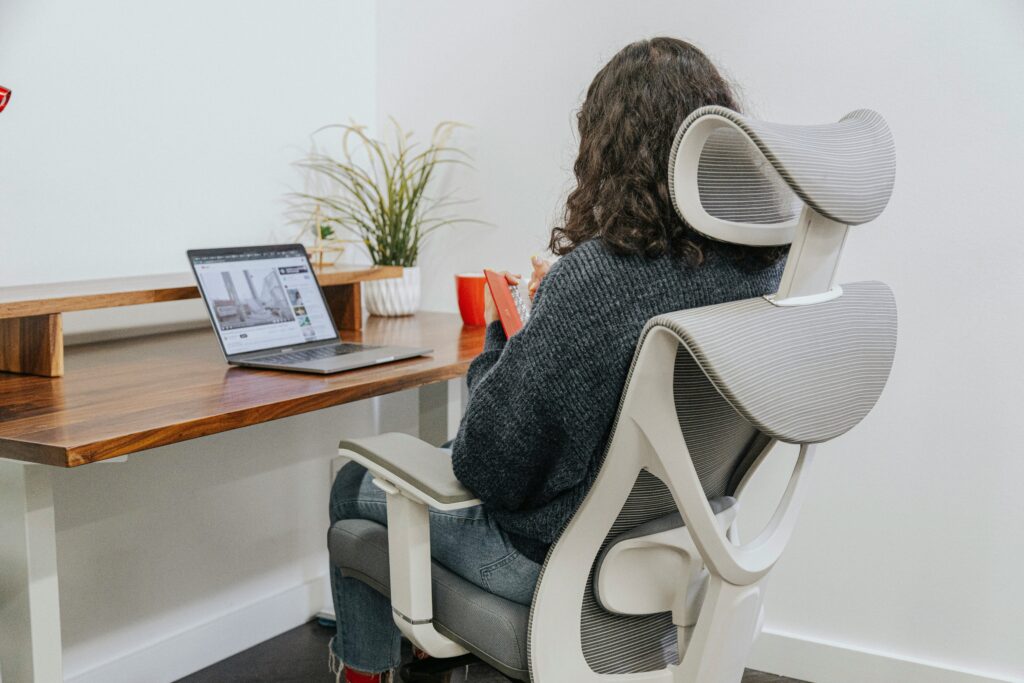
1. Ergonomic Desk Setup for Programmers: Desk Height
Desk height is the foundation of any ergonomic setup. For programming, your elbows should rest at a 90-degree angle when your hands are on the keyboard, with your forearms parallel to the floor. This reduces shoulder tension during long typing sessions.
If your desk is too high, your shoulders lift and fatigue builds up within hours. Too low, and you hunch forward — a common cause of upper back pain in developers.
Standing desks are worth considering if you code for long stretches. Alternating between sitting and standing every 60–90 minutes significantly reduces fatigue. Good options include the Fully Jarvis and Uplift Desk, both of which offer programmable height presets.
2. Monitor Position in Your Ergonomic Desk Setup
Monitor positioning is one of the most overlooked ergonomic mistakes developers make. The top of your screen should sit at or slightly below eye level. This keeps your neck in a neutral position rather than tilting down or up for hours at a time.
For programmers using a laptop as their primary machine, a laptop stand is non-negotiable — the built-in screen is always too low. Pair it with an external keyboard and mouse to maintain proper posture.
If you use dual monitors, place your primary monitor directly in front of you and the secondary slightly to the side. Avoid placing both screens side by side if one is dominant — you’ll end up twisting your neck for hours without noticing.
Distance: Position your monitor about an arm’s length away — roughly 50–70cm. This is especially important for developers who stare at code all day, as eye strain accumulates faster at close distances.
3. Choose a Chair That Supports Long Coding Sessions
A good chair is arguably the most important investment for a developer’s workspace. Look for these features specifically:
- Adjustable lumbar support — your lower back should be supported in its natural curve, not flattened against the backrest
- Adjustable seat height — feet flat on the floor, knees at 90 degrees
- Adjustable armrests — arms should rest lightly, not bear weight
- Seat depth — leave 2–3 fingers of space between the seat edge and the back of your knees
Chairs worth considering for developers include the Herman Miller Aeron, Steelcase Leap V2 and the more budget-friendly SIHOO M57. Check our full guide on the best office chairs for programmers for a detailed comparison.
4. Keyboard and Mouse Placement for Developers
For programmers, keyboard placement deserves extra attention. Your keyboard should be positioned so your elbows stay close to your body — reaching forward causes shoulder and upper-back tension that builds gradually over weeks.
Keep your wrists neutral while typing — not bent upward or downward. A keyboard that sits flat or tilts slightly away from you (negative tilt) is better for wrist health than the raised-back position most keyboards default to.
If you experience wrist discomfort during long coding sessions, consider a split keyboard like the Kinesis Freestyle or ZSA Moonlander. These allow your hands to rest in a more natural position and can significantly reduce repetitive strain over time.
Your mouse should sit at the same level as your keyboard and be within easy reach — no stretching.
5. Organize Your Desk for a Clean Coding Environment
A cluttered desk forces you into awkward positions and adds cognitive noise. For developers, a minimal desk setup isn’t just aesthetic — it’s functional.
Keep only what you use daily within arm’s reach. Everything else goes in a drawer or off the desk entirely. Good cable management makes a surprising difference — not just visually, but in reducing the friction of a messy workspace.
Place your monitor directly in front of you, never off to the side. If you use a notepad or second device, position it close enough to avoid twisting your neck or reaching repeatedly. These small changes make a big difference in any ergonomic desk setup for programmers — especially during long focus sessions.
6. Lighting That Reduces Eye Strain During Late-Night Coding
Developers often work in low-light conditions — late nights, dark rooms, bright screens. This combination accelerates eye strain significantly.
Use a desk lamp with adjustable brightness and color temperature. During daytime, cooler white light (5000–6500K) works well. In the evening, switch to warmer tones (2700–3500K) to reduce the contrast between your screen and the environment.
Position your lamp so it illuminates your desk without creating glare on your monitor. A bias light behind your monitor — a strip of warm LEDs on the back of the screen — is a simple and effective way to reduce eye fatigue during long sessions.
7. Build Movement Into Your Workflow
Even a perfectly configured ergonomic setup cannot compensate for sitting still for hours. Developers are particularly prone to this — deep focus states make it easy to lose track of time.
A practical rule: stand up, stretch or walk for 2–3 minutes every 45–60 minutes. Use a Pomodoro timer or a tool like Stretchly (free, open-source) to automate break reminders.
If you use a standing desk, alternate between sitting and standing every 60–90 minutes rather than standing all day — prolonged standing has its own downsides.
Movement is the final piece of a complete ergonomic desk setup for programmers that truly supports long-term health.
Final Thoughts
Setting up an ergonomic desk as a programmer is one of the highest-return investments you can make in your productivity and long-term health. The adjustments are not complicated, but most developers ignore them until pain forces the issue.
Start with desk height and monitor position — these two changes alone will make a noticeable difference within days. Then work through the rest of this list gradually.
If you’re building out your setup from scratch, check our guides on the best monitors for programmers and the best keyboards for developers to find gear that complements a proper ergonomic foundation.