Choosing the best keyboards for programmers is one of the most personal decisions in any coding setup. You interact with your keyboard more than any other piece of hardware — more than your monitor, more than your mouse. The right keyboard reduces wrist strain, improves typing accuracy and makes long coding sessions noticeably more comfortable. This guide reviews the top five keyboards of 2026 evaluated specifically for programming work.
What Makes the Best Keyboards for Programmers
Programmers have different priorities than office typists or gamers. You need a keyboard that handles long uninterrupted typing sessions without causing fatigue, responds accurately to fast input during intense coding, and ideally supports your wrists in a neutral position.
When choosing the best keyboards for programmers, focus on these factors:
- Switch type — mechanical switches offer tactile feedback that reduces typing errors during long sessions; linear switches are quieter but less precise for some typists
- Key layout — tenkeyless (TKL) removes the numpad and brings your mouse closer, reducing shoulder strain
- Wrist position — low-profile keyboards or those with negative tilt keep wrists neutral during extended typing
- Noise level — important for shared spaces or late-night coding sessions
- Connectivity — wired for reliability, wireless for a cleaner desk setup
If you haven’t optimized your full desk setup yet, check our guide on ergonomic desk setup for programmers for positioning tips that complement a good keyboard.
Best Keyboards for Programmers 2026 – Top 5 Picks
1. Keychron K2 Pro – Best Overall Keyboard for Programmers
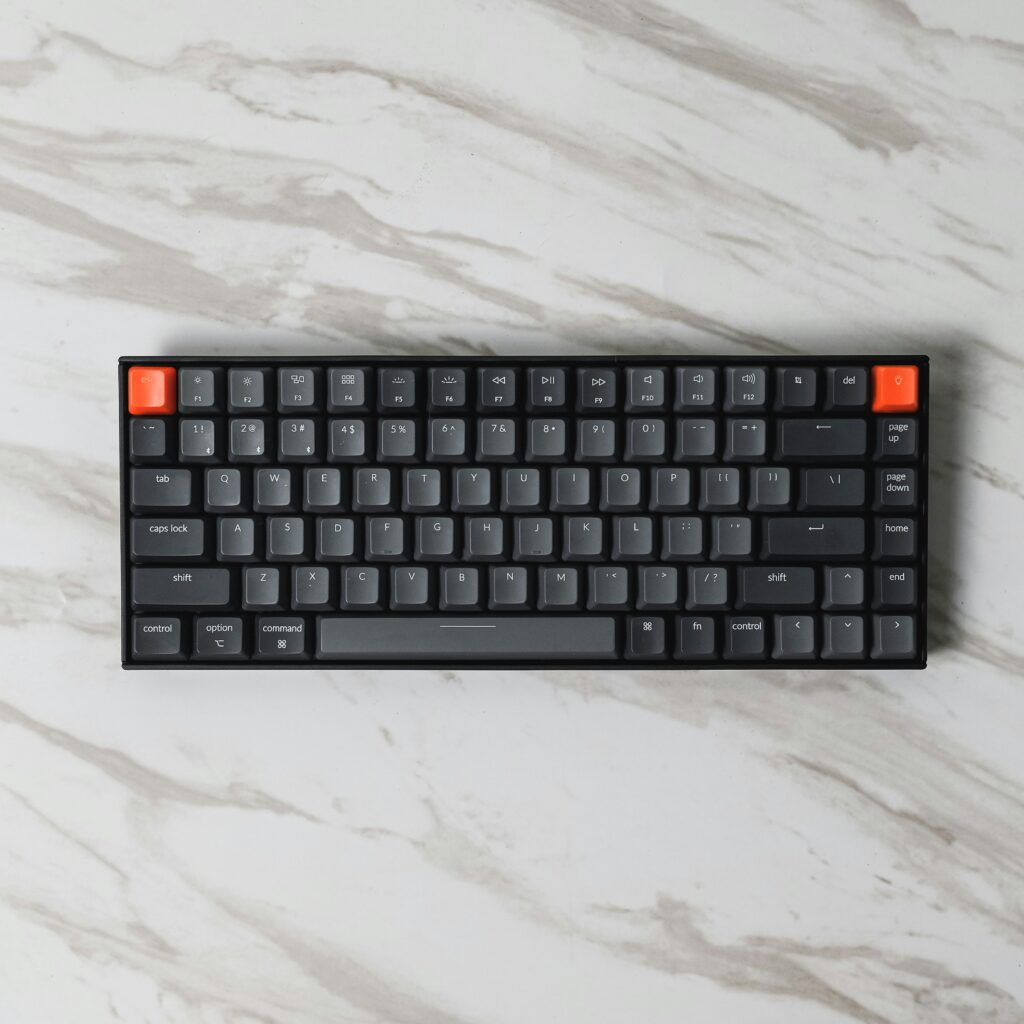
The Keychron K2 Pro is the top choice among the best keyboards for programmers who want a versatile, high-quality mechanical keyboard without an excessive price tag. Its compact 75% layout removes the numpad while keeping the function row and arrow keys — the sweet spot for most developers who need those keys regularly but want a smaller footprint.
The hot-swap feature is a genuine advantage: you can change the switches without soldering, meaning you can tune the typing feel to exactly what suits your style. It supports both wired and wireless connectivity, works across Mac, Windows and Linux, and has a solid aluminum frame that feels premium for the price.
- Pros: Hot-swappable switches, compact 75% layout, multi-platform support, wireless and wired, excellent value
- Cons: Battery life could be longer with RGB on, takes time to find your preferred switch type
View Keychron K2 Pro: https://www.keychron.com/products/keychron-k2-pro-qmk-via-wireless-mechanical-keyboard
2. Logitech MX Keys S – Best Low-Profile Keyboard for Programmers
The Logitech MX Keys S earns its place among the best keyboards for programmers who prefer a quieter, laptop-style typing experience. Its low-profile scissor switches are significantly quieter than mechanical alternatives, making it ideal for shared spaces, open offices or late-night coding sessions when noise matters.
The concave key design guides your fingers naturally and reduces typing errors during fast input. Multi-device connectivity lets you switch between up to three devices with a single button press — useful for developers who work across a laptop, desktop and tablet. Battery life reaches up to five months without backlighting, making it one of the most practical daily drivers available.
- Pros: Extremely quiet, excellent battery life, multi-device support, comfortable low-profile feel
- Cons: Not mechanical, limited customization compared to enthusiast keyboards
View Logitech MX Keys S: https://www.logitech.com/en-us/products/keyboards/mx-keys-s.html
3. ZSA Moonlander – Best Ergonomic Keyboard for Programmers
The ZSA Moonlander is the most specialized option among the best keyboards for programmers who experience wrist pain or repetitive strain during long coding sessions. Its split design allows each half to be positioned independently, letting your hands rest in a completely natural position rather than angled toward a centered keyboard.
The learning curve is real — most programmers need two to four weeks to fully adapt. But developers who make the switch consistently report that wrist and shoulder pain reduces significantly within the first month. The Moonlander is fully programmable through ZSA’s Oryx configurator, meaning you can create custom layouts optimized for your specific workflow and the languages you write in.
- Pros: Eliminates wrist and shoulder strain, fully programmable, excellent build quality, strong community support
- Cons: Steep learning curve, high price, takes weeks to adapt fully
View ZSA Moonlander: https://www.zsa.io/moonlander
4. Das Keyboard 4 Professional – Best Mechanical Keyboard for Serious Programmers
The Das Keyboard 4 Professional is a classic among the best keyboards for programmers who want a no-nonsense, high-quality mechanical keyboard built to last. It uses Cherry MX switches — the industry standard — and the full aluminum top panel gives it a rigid, premium feel that budget mechanical keyboards can’t match.
The dedicated media controls and volume knob are small but genuinely useful during long sessions when you don’t want to break your flow with keyboard shortcuts. The USB hub built into the side is a practical addition for a clean desk setup. This keyboard is built for developers who want something that simply works, feels excellent and lasts for years without compromise.
- Pros: Premium build quality, Cherry MX switches, dedicated media controls, USB hub, long lifespan
- Cons: Full size layout brings mouse further away, no wireless option, higher price
View Das Keyboard 4 Professional: https://www.daskeyboard.com/daskeyboard-4-professional/
5. Akko 3068B – Best Budget Mechanical Keyboard for Programmers
The Akko 3068B is the strongest budget option among the best keyboards for programmers who want a genuine mechanical keyboard without spending heavily. Its compact 65% layout removes the numpad and function row, making it one of the smallest practical keyboards for programming — arrow keys are retained, which is the key requirement for most developers.
The Akko switches offer a surprisingly good typing feel for the price, and the wireless connectivity via Bluetooth or the 2.4GHz dongle works reliably. Build quality is solid for a budget keyboard, and the gasket-mounted design reduces typing noise more than you’d expect at this price point. For developers building their first mechanical keyboard setup, the Akko 3068B is an excellent starting point.
- Pros: Affordable, compact 65% layout, wireless connectivity, gasket-mounted, good typing feel
- Cons: No hot-swap on base model, smaller community than Keychron
View Akko 3068B: https://en.akkogear.com/product/acr-pro-3068b-mechanical-keyboard/
How to Choose the Best Keyboard for Your Programming Setup
Finding the best keyboards for programmers comes down to two questions: Do you prioritize typing comfort or noise level? And how much desk space do you want to dedicate to your keyboard?
For most developers, the Keychron K2 Pro is the safest starting point — it covers all the essentials at a fair price and lets you experiment with switches. If wrist pain is already an issue, go directly to the ZSA Moonlander and accept the learning curve — it’s worth it. For quiet shared environments, the Logitech MX Keys S is the practical choice.
Pair your keyboard with a proper ergonomic desk setup for programmers to ensure your keyboard height and wrist position are correct — even the best keyboard causes strain if positioned incorrectly.
Final Thoughts on the Best Keyboards for Programmers
The best keyboards for programmers in 2026 share one priority: comfortable, accurate typing that holds up across long coding sessions without causing fatigue or strain. Whether you choose the Keychron K2 Pro for versatility, the ZSA Moonlander for ergonomics, or the Akko 3068B for budget value — upgrading from a basic membrane keyboard is one of the most immediately noticeable improvements you can make to your daily coding experience.
Looking to complete your setup? Check our guides on the best monitors for programmers and the best standing desks for programmers to build a workspace that supports long, productive coding sessions.